![4ca80f9a-2071-a148-302f-31ff88cc96f8.png]](https://support.principlesus.com/hs-fs/hubfs/Design%20Assets/Logos/4ca80f9a-2071-a148-302f-31ff88cc96f8.png?width=350&height=37&name=4ca80f9a-2071-a148-302f-31ff88cc96f8.png)
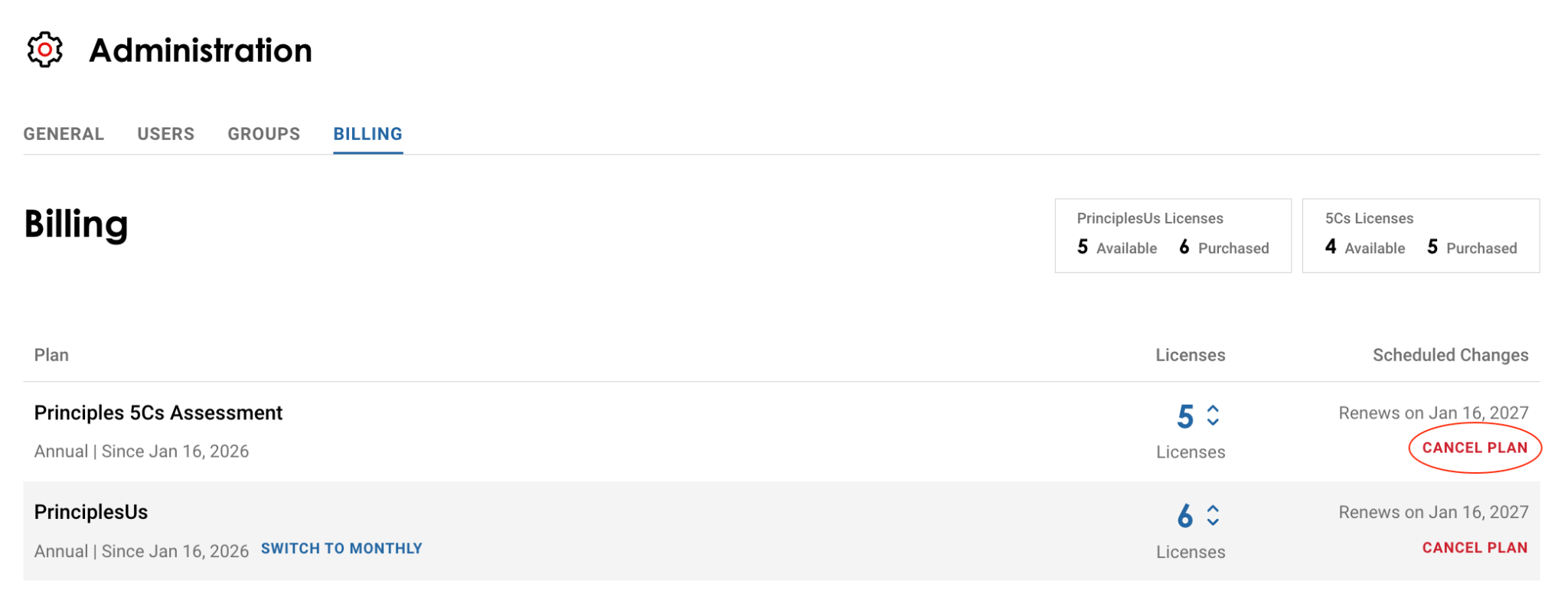
Should you want to cancel any of your Principles Tools plans, navigate to the Administration section and click on the Billing tab.
Once there, you will see the option to cancel your plan, as shown below:
Please note:
- Once a plan is canceled, you will no longer be able to add licenses to it. If you need additional licenses, you will first need to reactivate the plan and then add licenses.
- You can cancel your plan at any time. However, you will not be reimbursed for any remaining time left on your subscription.
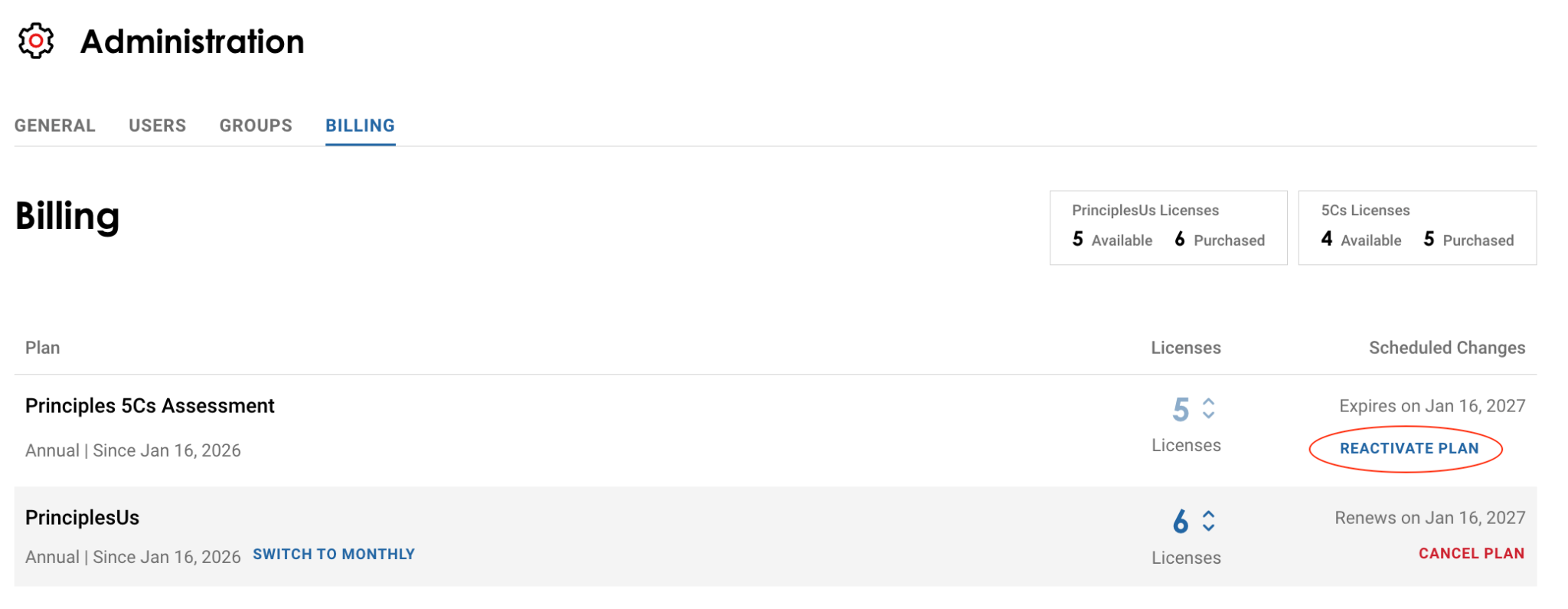
You can rescind the cancellation of your subscription should you wish to do so by taking the same steps as before and cancelling the cancellation, as shown below: